> For the complete documentation index, see [llms.txt](https://blog.syselement.com/home/llms.txt). Markdown versions of documentation pages are available by appending `.md` to page URLs; this page is available as [Markdown](https://blog.syselement.com/home/home-lab/redteam/alfa-wifi-usb-adapter.md).
# Alfa AWUS036ACH Wi-Fi Adapter
***
## 🌐 Resources 🔗
> * [morrownr/USB-WiFi: USB WiFi Adapter Information for Linux](https://github.com/morrownr/USB-WiFi)
> * [USB WiFi chipset information for Linux · morrownr/USB-WiFi](https://github.com/morrownr/USB-WiFi/blob/main/home/USB_WiFi_Chipsets.md)
> * [Configuring the Alpha AWUS036ACH Wi-Fi Adapter on Kali Linux | HackerNoon](https://hackernoon.com/configuring-the-alpha-awus036ach-wi-fi-adapter-on-kali-linux)
> * [lwfinger/rtw88: A backport of the Realtek Wifi 5 drivers from the wireless-next repo.](https://github.com/lwfinger/rtw88)
> * [WiFi adapter (driver) tests · ZerBea/hcxdumptool · Discussion #361](https://github.com/ZerBea/hcxdumptool/discussions/361#discussioncomment-7550759)
***
## 🔬 Hardware
> * `Alfa AWUS036ACH v.2` Wi-Fi USB C Adapter
> * [Alfa AWUS036ACH v.2 - USB-C 802.11ac AC1200 Dual Band WiFi USB Adapter](https://alfa-network.eu/awus036ach-c)
> * [AWUS036ACH Drivers](https://docs.alfa.com.tw/Product/AWUS036ACH/)
>
> 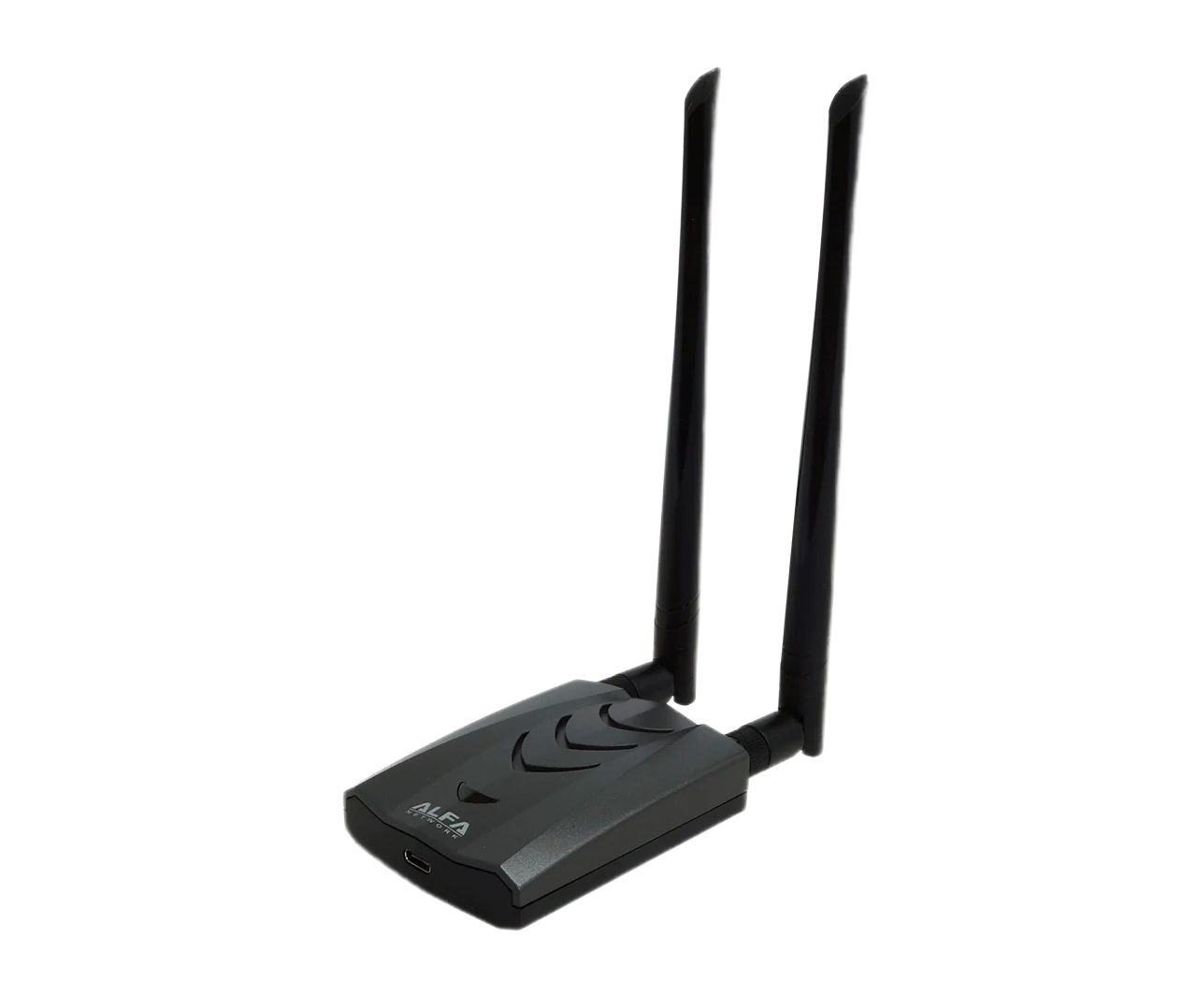 | Manufacturer | Alfa Network |
| ----------------- | -------------------------------------------- |
| SKU | AWUS036ACH-C |
| EAN | 4718050307302 |
| Chipset | RTL8812AU |
| Wi-Fi Standards | 802.11b, 802.11g, 802.11n, 802.11a, 802.11ac |
| Wi-Fi Frequency | 2.4 Ghz, 5 Ghz |
| 2.4GHz Radio Rate | 300Mbps |
| 5Ghz Radio Rate | 867Mbps |
| Wireless Security | WEP, WPA, WPA2 |
| Antenna Type | Omni-Directional |
| Antenna Connector | RP-SMA Female |
| Antenna Gain | 5dbi x 2 |
| USB Ports | USB C 3.0 |
***
## Install procedure
Connect the adapter to a USB port with the included cable.
**Windows**
If running Windows, download the driver at this link, unzip it and install it via the `Setup.exe`
*
**Kali Linux**
Open Kali Linux (virtual-machine) and check if it recognizes the plugged in device.
* In case of VirtualBox or VMWare Workstation, the USB needs to be connected via the Removable Devices menu
```bash
lsusb
Bus 003 Device 005: ID 0bda:8812 Realtek Semiconductor Corp. RTL8812AU 802.11a/b/g/n/ac 2T2R DB WLAN Adapter
```
```bash
iwconfig
# no wireless extensions
```
Kali Linux needs the drivers to see the device as an available network device.
* Dynamic Kernel Module Support (**DKMS**) automatically rebuilds and re-signs kernel modules like `rtw88` after kernel updates
```bash
sudo apt update && sudo apt upgrade
sudo apt install -y linux-headers-generic build-essential git
sudo apt install -y dkms
cd $HOME/tools
git clone https://github.com/lwfinger/rtw88
cd rtw88
sudo dkms install $PWD
sudo make install_fw
reboot
```
After the reboot, check again the installed drivers
```bash
iwconfig
wlan0 IEEE 802.11 ESSID:off/any
Mode:Managed Access Point: Not-Associated Tx-Power=20 dBm
Retry short limit:7 RTS thr:off Fragment thr:off
Power Management:on
```
***
## Test Monitor mode
```bash
sudo airmon-ng check kill
sudo airmon-ng start wlan0
iwconfig
```
```bash
# Output
PHY Interface Driver Chipset
phy1 wlan0 rtw_8812au Realtek Semiconductor Corp. RTL8812AU 802.11a/b/g/n/ac 2T2R DB WLAN Adapter
(mac80211 monitor mode vif enabled for [phy1]wlan0 on [phy1]wlan0mon)
(mac80211 station mode vif disabled for [phy1]wlan0)
# Output iwconfig
wlan0mon IEEE 802.11 Mode:Monitor Frequency:2.457 GHz Tx-Power=20 dBm
Retry short limit:7 RTS thr:off Fragment thr:off
Power Management:on
```
```bash
# Search and discover SSIDs
sudo airodump-ng wlan0mon
```

```bash
# Stop Monitor mode
sudo airmon-ng stop wlan0mon
```
***
| Manufacturer | Alfa Network |
| ----------------- | -------------------------------------------- |
| SKU | AWUS036ACH-C |
| EAN | 4718050307302 |
| Chipset | RTL8812AU |
| Wi-Fi Standards | 802.11b, 802.11g, 802.11n, 802.11a, 802.11ac |
| Wi-Fi Frequency | 2.4 Ghz, 5 Ghz |
| 2.4GHz Radio Rate | 300Mbps |
| 5Ghz Radio Rate | 867Mbps |
| Wireless Security | WEP, WPA, WPA2 |
| Antenna Type | Omni-Directional |
| Antenna Connector | RP-SMA Female |
| Antenna Gain | 5dbi x 2 |
| USB Ports | USB C 3.0 |
***
## Install procedure
Connect the adapter to a USB port with the included cable.
**Windows**
If running Windows, download the driver at this link, unzip it and install it via the `Setup.exe`
*
**Kali Linux**
Open Kali Linux (virtual-machine) and check if it recognizes the plugged in device.
* In case of VirtualBox or VMWare Workstation, the USB needs to be connected via the Removable Devices menu
```bash
lsusb
Bus 003 Device 005: ID 0bda:8812 Realtek Semiconductor Corp. RTL8812AU 802.11a/b/g/n/ac 2T2R DB WLAN Adapter
```
```bash
iwconfig
# no wireless extensions
```
Kali Linux needs the drivers to see the device as an available network device.
* Dynamic Kernel Module Support (**DKMS**) automatically rebuilds and re-signs kernel modules like `rtw88` after kernel updates
```bash
sudo apt update && sudo apt upgrade
sudo apt install -y linux-headers-generic build-essential git
sudo apt install -y dkms
cd $HOME/tools
git clone https://github.com/lwfinger/rtw88
cd rtw88
sudo dkms install $PWD
sudo make install_fw
reboot
```
After the reboot, check again the installed drivers
```bash
iwconfig
wlan0 IEEE 802.11 ESSID:off/any
Mode:Managed Access Point: Not-Associated Tx-Power=20 dBm
Retry short limit:7 RTS thr:off Fragment thr:off
Power Management:on
```
***
## Test Monitor mode
```bash
sudo airmon-ng check kill
sudo airmon-ng start wlan0
iwconfig
```
```bash
# Output
PHY Interface Driver Chipset
phy1 wlan0 rtw_8812au Realtek Semiconductor Corp. RTL8812AU 802.11a/b/g/n/ac 2T2R DB WLAN Adapter
(mac80211 monitor mode vif enabled for [phy1]wlan0 on [phy1]wlan0mon)
(mac80211 station mode vif disabled for [phy1]wlan0)
# Output iwconfig
wlan0mon IEEE 802.11 Mode:Monitor Frequency:2.457 GHz Tx-Power=20 dBm
Retry short limit:7 RTS thr:off Fragment thr:off
Power Management:on
```
```bash
# Search and discover SSIDs
sudo airodump-ng wlan0mon
```

```bash
# Stop Monitor mode
sudo airmon-ng stop wlan0mon
```
***